
Join the Agent Intelligence waitlist.
Complete visibility into AI usage, agent performance, token cost, and business impact — in one enterprise analytics and observability platform. Early access opens in waves, in waitlist order.
- 01Priority onboarding when your wave of the Beta and Developer tiers opens.
- 02Founder access to shape the roadmap before general availability.
- 03A direct line to the team building Agent Intelligence.
// Want a live walkthrough instead of the waitlist? Request a demo →
Get Priority Access to Agent Intelligence
Drop your details below and we'll notify you the moment your wave opens.
See your AI work clearly.
Move from the shape of a week to the evidence inside one session. These views show how Daiahn brings activity, usage, and cost into focus.
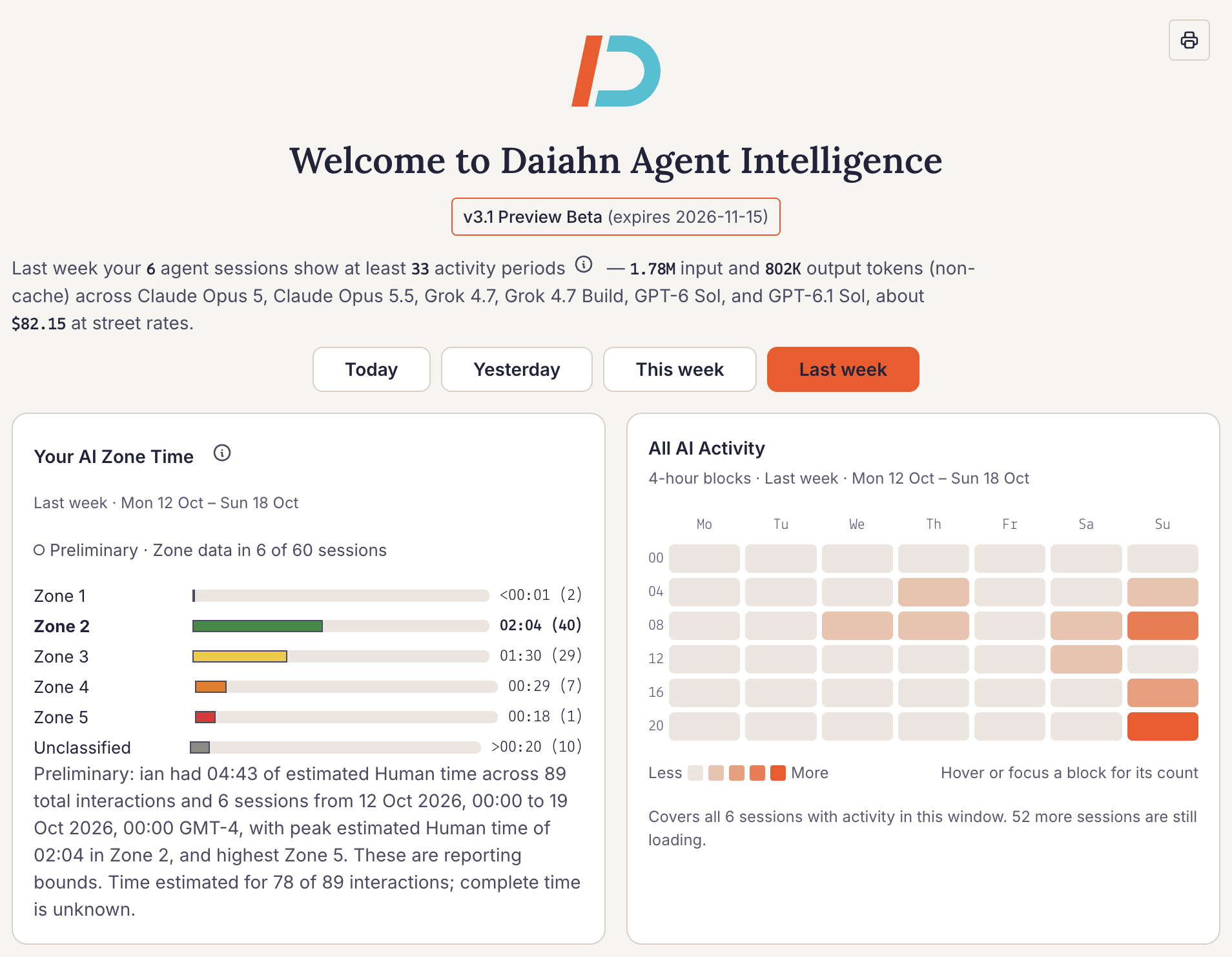
Your AI week, in one view.
Select a period to see when AI work happened, how estimated Human time was distributed across AI Zones, and the non-cached token and cost totals. Coverage labels make it clear when more sessions are still loading.
Open screenshot for a closer look ↗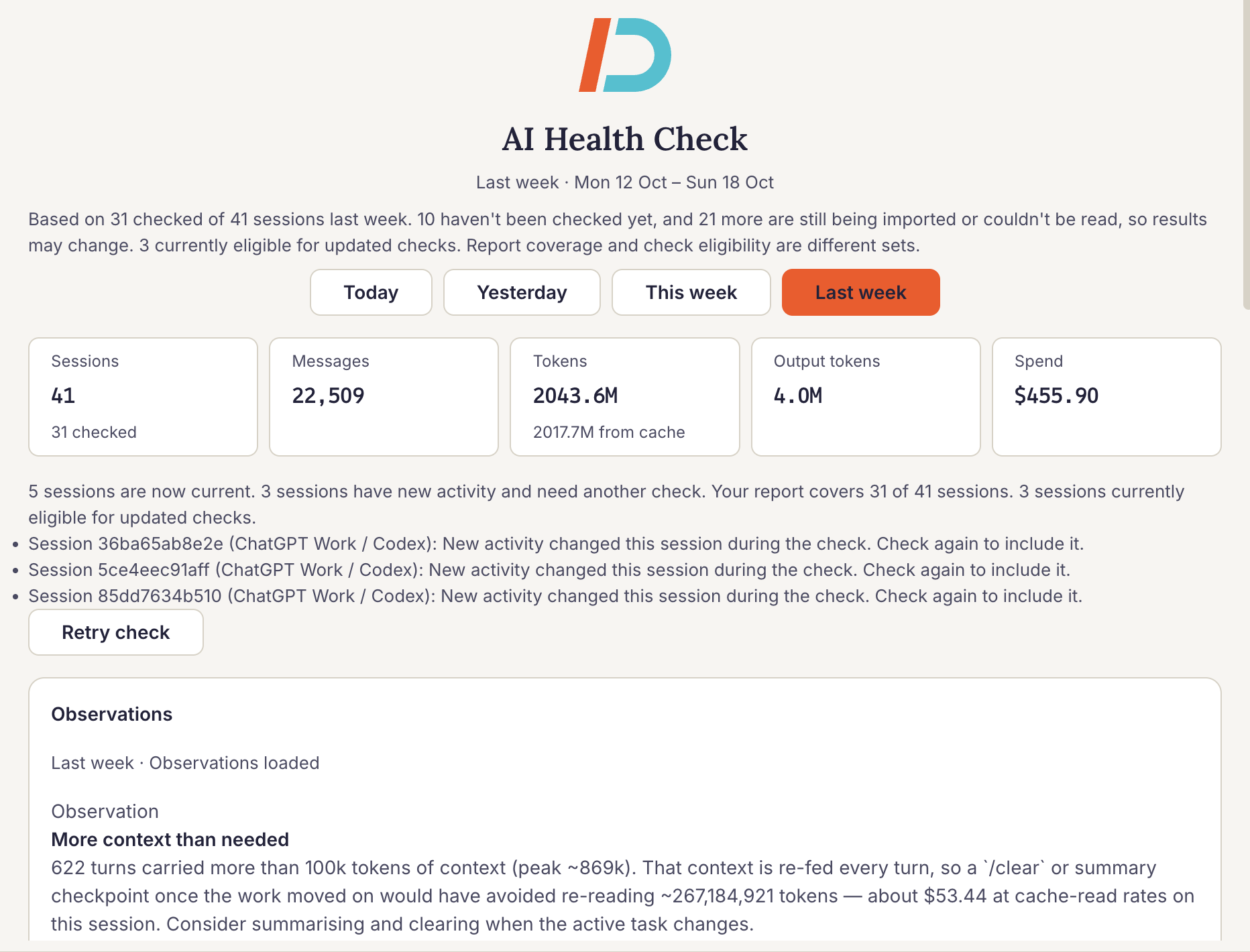
See what is worth changing.
AI Health Check brings sessions, messages, tokens, and estimated spend together for the selected period, then surfaces observations and recommendations. The coverage line shows how many sessions have been checked so you can read each finding in context.
Open screenshot for a closer look ↗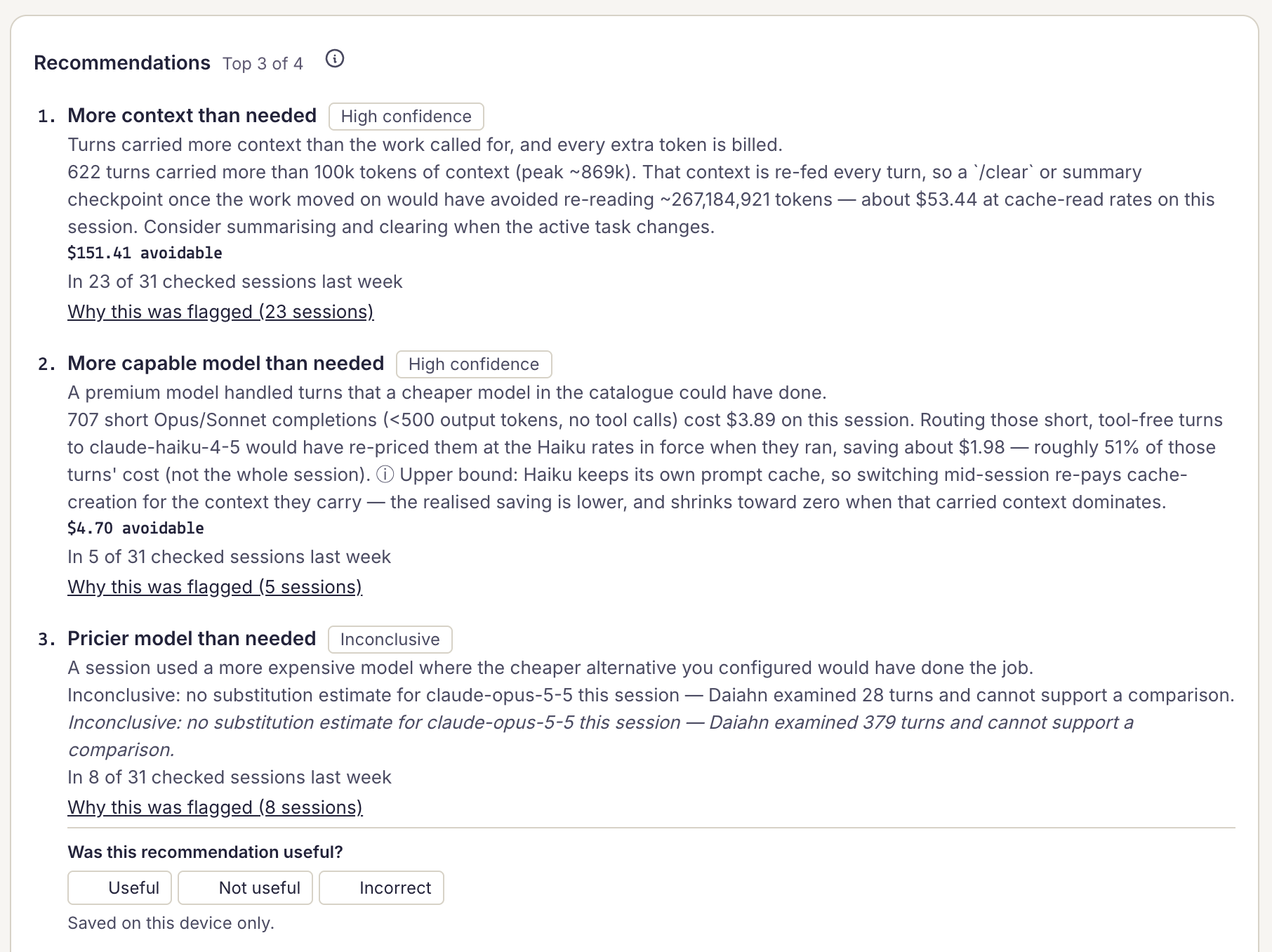
Know what to change—and why.
Recommendations pair a practical change with confidence and estimated avoidable spend. Open “Why this was flagged” to trace a finding to the sessions behind it; an inconclusive label tells you when the evidence does not support a savings estimate.
Open screenshot for a closer look ↗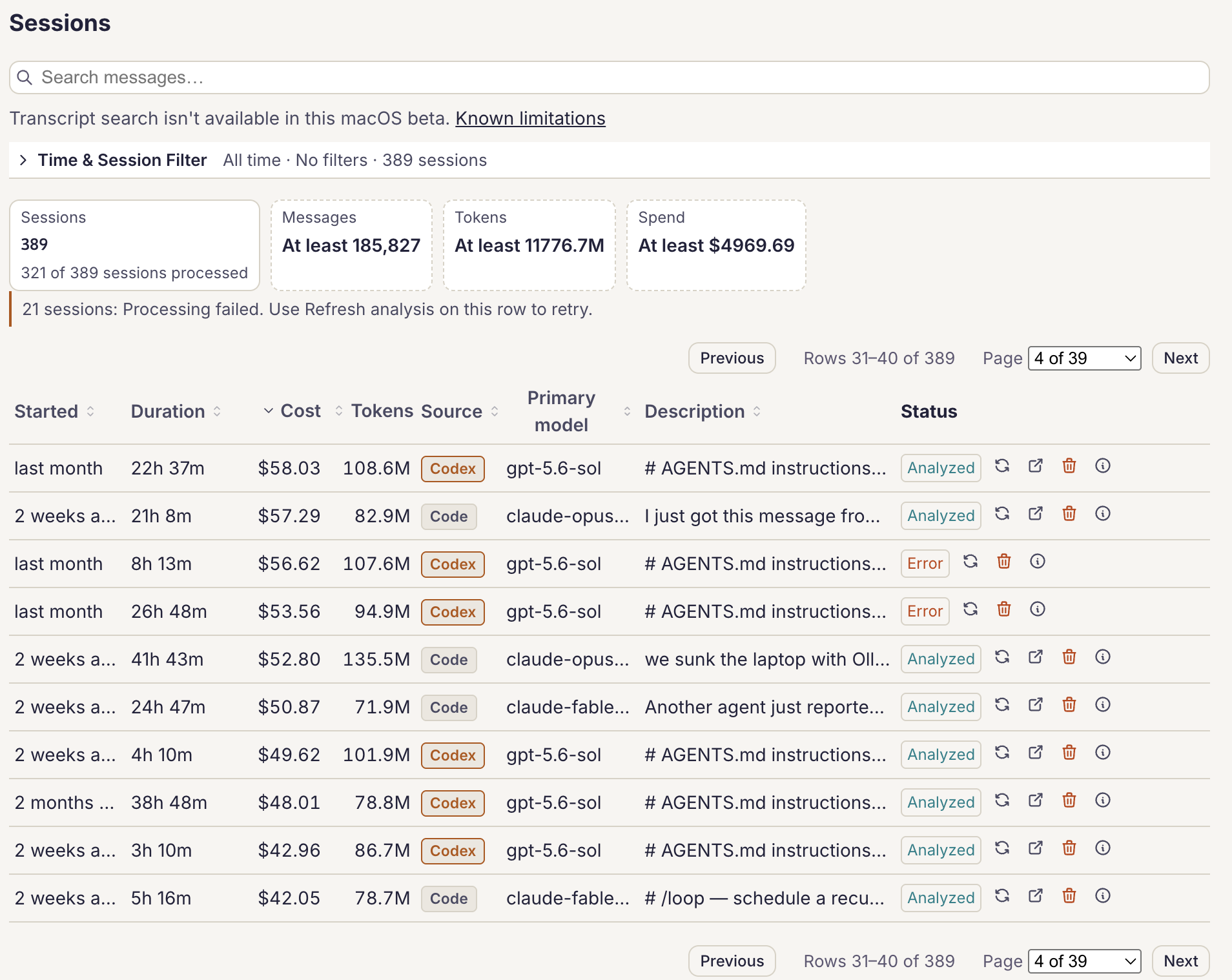
Find the work behind the totals.
Use the filter drawer to narrow by date, machine, user, project directory, model, or text, then sort the table to investigate costly sessions. Each row shows source, primary model, recorded usage, estimated cost, and analysis status; “At least” marks incomplete totals.
Open screenshot for a closer look ↗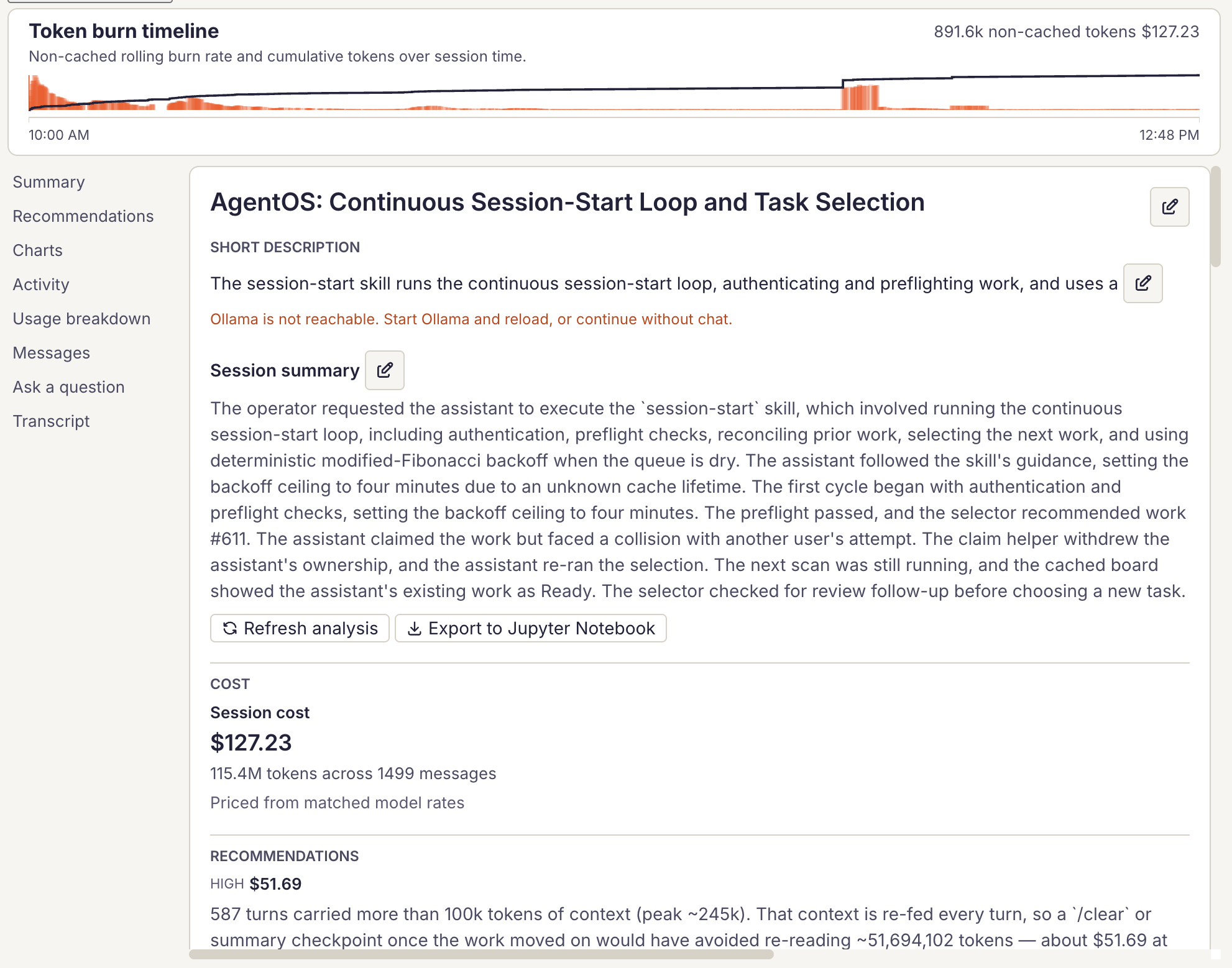
Turn a costly session into an action.
The token-burn timeline shows bursts and cumulative use within one session. Read the summary, cost, and recommendations to connect a high-cost pattern to a practical change, then inspect the messages or transcript for detail.
Open screenshot for a closer look ↗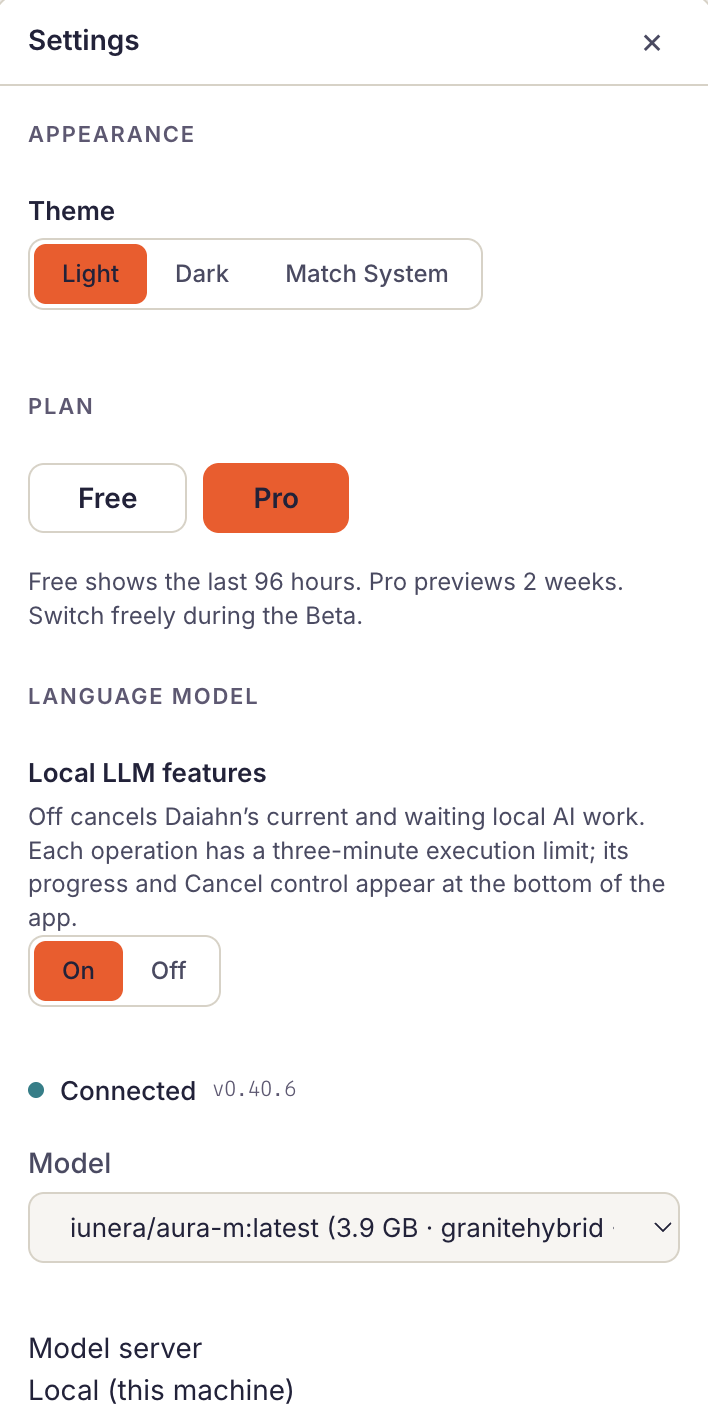
Your workspace, your controls.
Choose a light, dark, or system theme and preview Free or Pro reporting windows during the Beta. Switch local LLM features on or off, and see the model and server connection in the same place.
Open screenshot for a closer look ↗